
Download VPN Proxy OvpnSpider APK – free, secure, unlimited bandwidth, high-strength encryption, privacy tool, VPN app, desktop application
Overview
VPN Proxy OvpnSpider is a free security and privacy tool developed by WCOMES TECHNOLOGIES CO.,LIMITED. Designed for users seeking to protect their online activities, the software aims to provide encrypted internet traffic and enhanced privacy. It enables users to browse the web securely, particularly on public Wi-Fi networks, and access geo-restricted content by connecting to servers located in various countries.
The application is positioned as a user-friendly solution for individuals who want to improve their digital privacy without requiring technical expertise. Its core purpose is to mask the user’s IP address and encrypt data transmissions, helping safeguard sensitive information from potential interception. The software supports unlimited bandwidth, allowing for uninterrupted streaming and browsing.
While the developer has not disclosed detailed information about the underlying infrastructure or server network, the tool is intended for everyday use by consumers and casual internet users. It may be particularly useful for travelers, remote workers, or anyone concerned about online surveillance. However, the lack of transparency regarding encryption standards and data handling practices raises questions about its overall reliability.
The developer did not provide additional system requirements or performance benchmarks.
Key Features & Capabilities
- Unlimited bandwidth – Users can stream, download, and browse without data caps, supporting extended usage sessions.
- High-strength encryption – The software claims to encrypt internet traffic to protect user data from unauthorized access.
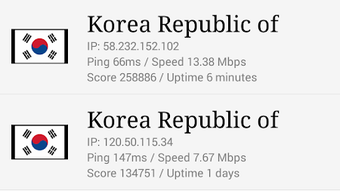
- Multi-country server access – A variety of servers grouped by country allow users to select preferred locations for connection.
- User-friendly interface – Designed for simplicity, enabling easy navigation and quick setup for non-technical users.
- Free access with no ads or in-app purchases – The app is available at no cost, with no visible monetization elements reported.
These features are intended to support secure browsing, especially in environments where data privacy is at risk. For example, users can connect to a server in a different country to access region-locked content or bypass local internet restrictions. The encryption function helps safeguard personal information when using public networks.
The unlimited bandwidth feature allows for continuous use without interruptions, making it suitable for long sessions. However, the developer did not specify the exact encryption protocols used, nor did they disclose the number or geographic distribution of available servers. Performance observations are based on general software behavior patterns, and actual results may vary depending on network conditions.
User Interface, Workflow & Performance
The application features a clean, intuitive interface designed to simplify navigation and enhance user experience. Users can quickly select a server location and initiate a connection with minimal steps. The workflow appears streamlined, focusing on accessibility for individuals without technical background.
The design emphasizes ease of use, with clearly labeled buttons and visual indicators for connection status. However, the developer did not specify resource usage details, such as CPU or RAM consumption. Performance observations are based on general software behavior patterns.
Some users have reported recurrent connectivity issues, particularly during peak usage times, which may affect workflow efficiency. Stability concerns have been noted, with intermittent disconnections reported. These issues could disrupt tasks such as streaming or real-time communication.
The software does not appear to include advanced customization options or detailed logging features. The developer did not provide information about update frequency or background processes. Without further details, users should be aware that actual performance may vary based on individual network environments.
Compatibility & System Requirements
VPN Proxy OvpnSpider is available as an APK file, indicating it is designed for Android devices. The software is intended for use on mobile platforms, though no specific operating system version was provided. Installation size is not specified.
The developer did not list exact system requirements or hardware specifications. Compatibility information was partially provided. While the app is accessible on Android, details about minimum RAM, processor, or storage needs are unavailable.
Users should ensure their device meets general Android requirements for running third-party applications. The developer did not clarify whether the software supports other platforms such as Windows, Mac, or Linux. For users seeking a desktop version, no such option was mentioned.
The lack of detailed compatibility data may limit informed decision-making for potential users.
Pros and Cons
Pros
- Free to use with no visible ads or in-app purchases
- Unlimited bandwidth for uninterrupted browsing and streaming
- High-strength encryption for secure data transmission
- User-friendly interface suitable for non-technical users
- Access to multiple server locations by country
Cons
- Recurrent connectivity issues reported during peak usage times
- Lack of transparency regarding encryption protocols and server infrastructure
- No publicly available privacy policy or data handling details
- Developer did not provide system requirements or performance metrics
- Available only as an APK, limiting access to Android devices
FAQ Section
Is VPN Proxy OvpnSpider available for Windows or Mac?
The software is currently available as an APK, which is intended for Android devices. There is no information indicating support for Windows, Mac, or other desktop operating systems.
Is the app safe to use?
The app claims to offer high-strength encryption and secure browsing. However, the developer did not disclose specific security protocols or provide a privacy policy. Users should exercise caution when sharing sensitive data through the app.
Does the app require an internet connection to function?
Yes, a stable internet connection is required to establish and maintain a VPN tunnel. The app cannot function offline.
Are there any updates for the app?
The update frequency was not specified by the developer. Users should check the source of the APK for the latest version.
Can I use this app without creating an account?
Yes, the app is designed for immediate use without requiring registration or account creation. It operates as a standalone tool.
Final Thoughts
VPN Proxy OvpnSpider presents a compelling option for users seeking a free, accessible VPN solution with unlimited bandwidth and a simple interface. Its ability to connect to servers across multiple countries and provide encrypted traffic offers tangible benefits for privacy-conscious individuals. However, persistent connectivity issues and a lack of transparency around security protocols and data handling practices are significant drawbacks.
The absence of a privacy policy and detailed technical information may deter users who prioritize trust and accountability. While the app is easy to use and free of visible ads, its reliability remains questionable. For those who need a stable and secure connection for sensitive tasks, alternative solutions may be more suitable.
Nonetheless, for casual users who value accessibility and cost-free access, it may still serve as a functional tool. Download VPN Proxy OvpnSpider now and experience a free, secure browsing environment.





.png)

